
F-Secure Mobile Security
F-Secure CorporationTools
4.2172.33K Reviews
- Version
- 10.58-c956ec4
- Installs
- 100.00M
- Age Rating
- Everyone
Screenshots

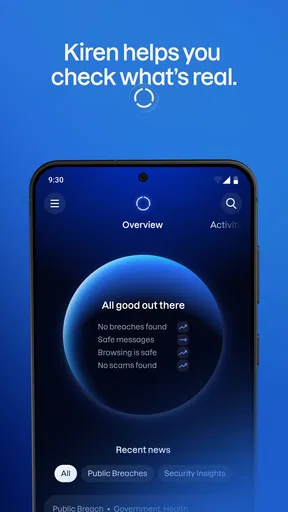
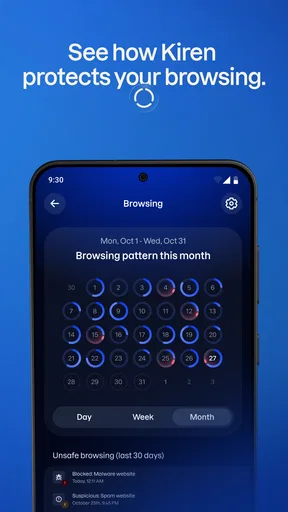
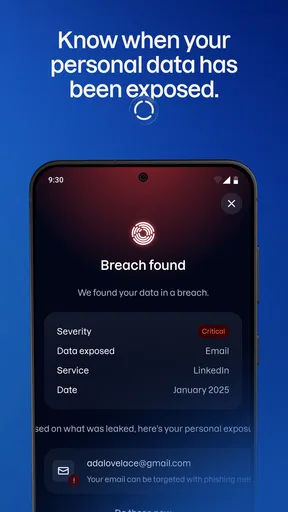
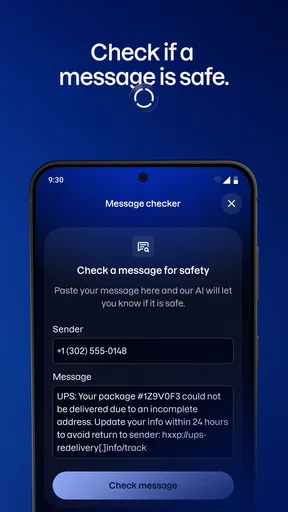
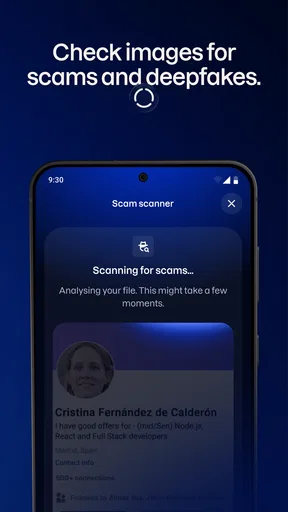
Our Review of F-Secure Mobile Security
 Analysis by Appyee
Hey there! I recently got my hands on F-Secure Mobile Security, and I’ve got to say, it’s quite the powerhouse for keeping your phone safe. Let’s dive into what makes this app worth considering for your Android or iOS device.
The first week: quick reassurance, then real-world checks
My first-week impression is that the app is easiest to appreciate when I treat it as a safety net rather than something I need to watch constantly. The initial setup is approachable, and the familiar security dashboard makes it simple to see where to start. I would still take a few minutes to open each protection area and understand what it does; security tools are more useful when you know what their warnings mean before you encounter one in a hurry.
A practical first test is to check how the app fits your normal phone routine. If you install apps from trusted stores, browse familiar sites, and rarely change settings, the protection can sit quietly in the background. If you often follow links from messages or download files while travelling, browsing warnings may become more noticeable. I would not deliberately visit risky sites to test it: the useful test is whether its guidance is clear when an ordinary link gives you pause.
This is a Tools app from F-Secure Corporation, and it has a 4.2 average from around 1.1 million ratings. That broad audience makes it a familiar option, but popularity is not a substitute for checking whether its particular protections match your habits. The app is free to install, with optional in-app purchases ranging from $0.99 to $99.99 per item, so I would look carefully at the purchase screen and decide what level of protection I actually need rather than treating every paid option as essential.
How it holds up after the novelty wears off
I judge a security app by what remains useful after the setup feels familiar, so this section looks at the habits that can give F-Secure Mobile Security lasting value. I’ll focus on choosing a specific job for it—such as pausing over unfamiliar links or knowing how to reach lost-device controls—rather than keeping it simply because a first scan felt reassuring.
First Impressions
When I first installed F-Secure Mobile Security, I was immediately impressed by its clean and intuitive interface. It doesn’t bombard you with unnecessary features; instead, it focuses on what it does best: protecting your phone. The setup process was super straightforward—just a few taps, and I was ready to go.
It is intended for everyone, and the current version is 10.57-ff32089, with Android 7.0 as the minimum supported OS. F-Secure also offers an iOS version, so the platform matters when you compare what you can do on your own phone. I would check the app’s current compatibility and feature presentation on the device I plan to protect rather than assume that every tool behaves identically on Android and iOS.
Feature Set
Alright, let’s talk about what this app brings to the table. One of the standout features is the real-time antivirus protection. It’s like having a digital bodyguard that’s constantly on the lookout for threats. Whether you’re downloading apps or browsing the web, F-Secure has your back.
Another neat feature is the Browsing Protection. It warns you about malicious websites before you even click on them. This is a game-changer if you’re like me and often find yourself wandering into the dark corners of the internet.
Let’s not forget about the Anti-Theft tools. You can remotely lock or wipe your device if it’s lost or stolen, which is a huge relief for anyone who’s ever misplaced their phone. Plus, the Finder feature helps you track down your device with GPS.
Those tools are most helpful when they form a routine instead of remaining a list of features I never open. Before relying on remote lock or wipe, I would review how the lost-device controls are reached and make sure I can sign in to the relevant account from another device. That small bit of preparation matters: a recovery option is only reassuring if I can find it while my phone is missing. I would also treat remote wiping as a last resort, because it is a serious response to a lost phone, not a substitute for keeping separate copies of important photos and documents.
Browsing protection also works best as a prompt to slow down, not a reason to stop thinking. A warning can help me avoid a suspicious page, but it cannot make every message or offer trustworthy. When I receive a link that claims something urgent, I would still check who sent it and whether the address makes sense before proceeding. That combination—an alert plus a deliberate pause—is a more useful habit than expecting any mobile security app to judge every situation perfectly.
Performance
I was pleasantly surprised by how smoothly the app runs. It doesn’t hog resources or slow your device down, which is crucial for any security app. The scans are quick and efficient, and you can schedule them to run at convenient times. No more waiting around while your phone checks for viruses!
For month-to-month use, the value is less about opening the scanner for entertainment and more about having protection ready when your habits change. I might install a new app while away from home, use public Wi-Fi during a trip, or receive a delivery message that leads to an unfamiliar page. The sensible approach is to keep the protections I rely on enabled, then review the app after a major phone change or a new concern instead of repeatedly running checks without a reason. That keeps security from turning into a daily chore.
Compared with a lightweight scanner or relying only on the phone’s built-in safeguards, this app is aimed at people who want a dedicated security layer and a more visible set of safety tools. That extra layer can feel worthwhile if several people in a household need help recognizing risky links or if you want lost-device controls close at hand. On the other hand, someone who is comfortable managing app sources, account security, and backups may prefer the built-in protections and a simpler setup. I would choose based on the problems I actually face, not on the assumption that more security software is always better.
User Experience
The developers have done a stellar job of making the app user-friendly. Navigating through the different features is a breeze. Everything is clearly labeled, and the app offers helpful tips and explanations, making it perfect even for those who aren’t tech-savvy.
That clarity is especially useful for a less confident phone user, but simplicity does not remove every decision. I would make sure the person using the phone understands what a warning asks them to do and knows not to approve a suspicious download simply to clear a notification. For a family member who regularly asks whether a link is safe, the app can be a helpful prompt for a conversation about checking senders, avoiding pressure tactics, and keeping device access protected. It is less useful if the user expects an app to make every online decision on their behalf.
One realistic everyday case is a parent setting up a phone for someone who is new to smartphones. After setup, they can walk through a sample browsing warning together, explain how to find the phone if it goes missing, and agree on where important files are backed up. The app supports parts of that routine, while the conversation and backup habit cover gaps software cannot. This is a better use of its approachable interface than installing it and assuming the phone is now immune to mistakes.
Support and Updates
One thing I always look for in security apps is how well they’re supported. F-Secure doesn’t disappoint. They provide regular updates to tackle new threats, and their customer support team is responsive and knowledgeable. It’s reassuring to know that you’re not left in the lurch if something goes wrong.
Maintenance should be modest if the app is working as intended: keep it updated, pay attention to warnings, and revisit the settings when you change devices or accounts. I would avoid dismissing alerts automatically, but I also would not let every notification interrupt the day. If a prompt is unclear, reading it carefully before acting is safer than tapping through just to get back to another task. This is where the app’s explanations matter more than a long list of controls.
Security software can also create fatigue when it asks for attention at the wrong time or when the user is unsure whether a warning is serious. My rule would be to learn the difference between a protection notice and a request that needs action, then respond deliberately. If the app’s alerts become noise for a particular user, the answer is not to ignore all security prompts; it is to review which protections are needed and whether the device’s existing safeguards already cover that person’s normal use.
Price Point
Now, let’s talk money. F-Secure offers a free trial, which is great if you want to test the waters before committing. After that, you can opt for a subscription. While it’s not the cheapest option out there, the peace of mind it offers is worth every penny in my book.
There are 100 million-plus installs, and the app has around 174,000 written reviews. I see that as evidence that many people have tried it, not proof that the paid choice will suit every budget or phone. Since optional purchases vary in price, I would compare what is included in the option shown on my device with the features I expect to use. If all I want is occasional reassurance, paying for a broader package may not be the most sensible choice.
For a household, I would also separate the question of who needs protection from the question of how many devices a purchase covers. The original app experience describes coverage across multiple devices, but I would verify the current terms on the purchase screen before planning around it. A family may get more day-to-day value from one person helping everyone use warnings and recovery tools correctly than from buying features nobody understands or checks.
When another approach makes more sense
I would skip this app if I want a completely hands-off guarantee that every threat will be stopped, or if I am unwilling to respond to warnings and keep the phone’s operating system and apps maintained. No security app can remove the need for sensible decisions. I would also compare alternatives if I mainly need one specific service, such as a password manager or a backup system; a focused tool may fit that task better than a broader mobile security app.
Likewise, an experienced Android user who installs only from trusted sources, checks permissions, uses strong account protection, and already keeps reliable backups may find a dedicated suite adds little to their routine. The opposite can be true for someone who shares a phone with a less experienced user or often encounters unfamiliar links. On iOS, I would pay particular attention to which protections the app presents for that platform, rather than choosing it on the assumption that antivirus tools work the same way across both operating systems.
A useful way to decide is to name the problem first: suspicious browsing, concern about malicious apps, or the stress of losing a phone. Then check whether the app’s relevant feature addresses that problem in a way you will actually use. If the answer is yes, the extra layer has a clear purpose. If I cannot name a likely use, I would rather keep my setup simpler and maintain the built-in security and backup habits I already trust.
Final Thoughts
All in all, F-Secure Mobile Security is a robust option for anyone serious about mobile security. It combines ease of use with powerful features, ensuring your device stays safe without any hassle. Whether you’re a tech newbie or a seasoned pro, it’s worth considering for your arsenal.
If you’re ready to give it a go, you can find the download links on our site. Stay safe out there, and happy browsing!
My long-term verdict is that it earns a place when its protections solve a recurring worry, not simply because the first scan feels reassuring. If I use browsing alerts, keep the lost-phone controls understandable, and maintain sensible backups, the app can be a practical part of my phone routine. If it becomes another set of prompts I never read, or if the paid options do not match a real need, I would not keep it out of habit. I would install it with a clear purpose, give myself time to learn its warnings, and reassess when my phone habits change.
Verdict
Strengths of F-Secure Mobile Security
- Comprehensive malware protection.
- Minimal impact on device performance.
- User-friendly interface design.
- Automatic virus scanning enabled.
- Includes a VPN for secure browsing.
Limitations of F-Secure Mobile Security
- Premium features require a subscription.
- Occasional false-positive detections.
- Limited free version capabilities.
- VPN may slow down internet speed.
- Some features require manual setup.
Similar Picks in This Category
View All
Google LLC4.0

Gboard - the Google Keyboard
Google LLC4.5

Google Play services
Google LLC4.3

Google Play Store
Google LLC4.9

Files by Google
Google LLC4.5

SHAREit: Transfer, Share Files
Smart Media4U Technology Pte.Ltd.4.3
You May Also Like
View All

Frequently Asked Questions
What features does F-Secure Mobile Security offer?
F-Secure Mobile Security provides a comprehensive set of features to protect your device. These include antivirus protection, safe browsing, parental controls, and anti-theft measures. The app ensures that your personal data remains secure by scanning for malware and blocking harmful websites. Additionally, it offers banking protection to secure online transactions.
Is F-Secure Mobile Security easy to use for beginners?
Yes, F-Secure Mobile Security is designed with user-friendliness in mind. Its intuitive interface makes it easy for beginners to navigate through the features. The setup process is straightforward, and the app provides clear instructions for enabling various security options, making it accessible even for those new to mobile security apps.
How does F-Secure handle data privacy?
F-Secure Mobile Security prioritizes user privacy by ensuring that personal data is not shared without consent. The app adheres to strict privacy policies and uses encryption to protect your information. It only accesses data necessary for its security functions, ensuring that your privacy remains intact while using the app.
Can F-Secure Mobile Security affect device performance?
F-Secure Mobile Security is optimized to have minimal impact on device performance. It runs efficiently in the background without significantly draining battery life or slowing down your device. Regular updates ensure that the app remains lightweight while providing robust security features to keep your device protected.
What is the cost of F-Secure Mobile Security, and are there any free versions?
F-Secure Mobile Security offers a free version with basic protection features, but for comprehensive security, a premium version is available. The cost of the premium version varies based on the subscription plan, typically with monthly or yearly options. The premium subscription unlocks additional features such as advanced browsing protection and parental controls.
